OpenLayers 2.5 RC1 has been released. Bug reports are, as usual, solicited from any and all users. More links in the OpenLayers Blog Entry.
Here’s hoping there’s a final release before the end of FOSS4G…
OpenLayers 2.5 RC1 has been released. Bug reports are, as usual, solicited from any and all users. More links in the OpenLayers Blog Entry.
Here’s hoping there’s a final release before the end of FOSS4G…
For the past week, I’ve been working on OpenLayers 2.5, which has been rewarding, though exhausting. I’m looking forward to getting our first RC out the door — maybe even sometime next week, if I can get enough attention from other developers. Check out the post for an overview of some of the cool stuff coming up in the next release: GeoJSON, better vector feature editing support, better commercial API interactions, and more.
Today, I finally made the switch from the 7 month-running Mapnik based homepage map on the boston freemap to a MapServer 5.0-based AGG rendering.
The new map has had more cartography put into than any existing Boston Freemap to date. Maps like:
Cambridgeport
The state of Massachusetts
Downtown Boston
All demonstrate some of the qualities offered by the new MapServer.
Among other things, the new maps:
In my opinion, the look and feel of these maps really does approach the level of quality that the commercial services have set, as far as rendering goes. MapServer’s leaps and bounds in the past couple weeks in rendering have changed the game from being a “Work on the rendering” game back to a “Work on the cartography” game.
I want to send a special thanks to tbonfort and all the work he’s done recently to make this happen! The rendering is simply incredible in comparison — truly night and day. I’m so happy to be back in MapServer land where the hard work I’ve done on this cartography hasn’t gone to waste. He and the other MapServer developers have really brought me back into the fold with the latest work, and I’m happy to be there.
The font work really doesn’t show up well in a small screenshot — it’s a total affect that makes a difference. Comparing AGG to GD is probably pretty informative though.
So, OpenLayers wants to use a single well-known number to describe the ‘Google Projection’ I talked about earlier. 54004/54005/41001 are all ‘well known’ as being a standard Mercator projection. Which is not the Google Projection.
So, in addition to http://spatialreference.org/ref/user/google-projection/ / http://spatialreference.org/ref/user/6/ , we need something we can use in “SRS” in WMS — an EPSG code, such as it was.
In order to pick one that doesn’t conflict.
It’s the ‘Google’ projection — so we picked 900913. (Google. In 1337-speak.)
Use it. Love it. Promote it.
So, as a result of Custom Projection 6: Google Projection, I got pinged by SharpGIS on IRC, and told that the projection I had there was wrong.
He helped me understand what he was using, and I let him know it still wasn’t helping me. So I set up a Virtual Earth + TileCache demo, and he helped me find the missing piece, in the proj4 FAQ:
In this case, and many other cases using spherical projections, the desired approach is to actually treat the lat/long locations on the sphere as if they were on WGS84 without any adjustments when using them for converting to other coordinate systems. The solution is to “trick” PROJ.4 into applying no change to the lat/long values when going to (and through) WGS84. This can be accomplished by asking PROJ to use a null grid shift file for switching from your spherical lat/long coordinates to WGS84.
+proj=merc +a=6378137 +b=6378137 +lat_ts=0.0 +lon_0=0.0 +x_0=0.0 +y_0=0 +k=1.0 +units=m +nadgrids=@null +no_defs
The key here was the +nadgrids=@null, which I’d never seen anywhere before.
The end result?
So. Nice. To not feel lost anymore.
Three cheers for sharpgis! Hooray hooray hooray!
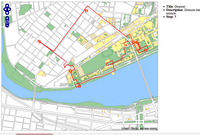 Went out for a late night walk tonight: though my path was a bit unclear, I think I made a decently accurate map:
If you hover over the circles, you’ll see points of interest along the route. I recommend zooming into the main MIT building, to see the confused meandering I was forced to.
This demo uses OpenLayers, TileCache, and FeatureServer. It was created entirely via a web interface.
OpenLayers now has its own blog.
Thank the creation of Planet OSGeo for the final inspiration to actually put it together.
So, last week was an OpenLayers hack week. One of the things that we did was make adding support for new vector formats trivial. Instead of modifying several parts of the code, you only need to create two functions: a ‘read’, which takes a set of data — XML, strings, Javascript object, what have you — and returns a list of OpenLayers.Feature.Vector objects, and a ‘write’ which does the reverse — takes a list of objects and returns a string or object or XML.
To prove this, I set out to write some additional vector format support last night. I decided to add one read, and one write.
Altogether, the Format support in the new OpenLayers is pretty cool. Because of the way it’s built, I can even do something that is pretty damn ridiculous: Import KML, and export GeoRSS (or GML), all from the browser. Certainly, this is an incredibly crazy thing to do, but OpenLayers is a pretty crazy project.
I’m convinced that there’s nothing in the code that would make it difficult for someone who’s comfortable working with Javascript to write support for any simple-to-parse format. Now, to get the code back to trunk and get the patches rolling in.